More Features
Everything you would expect from a modern solution
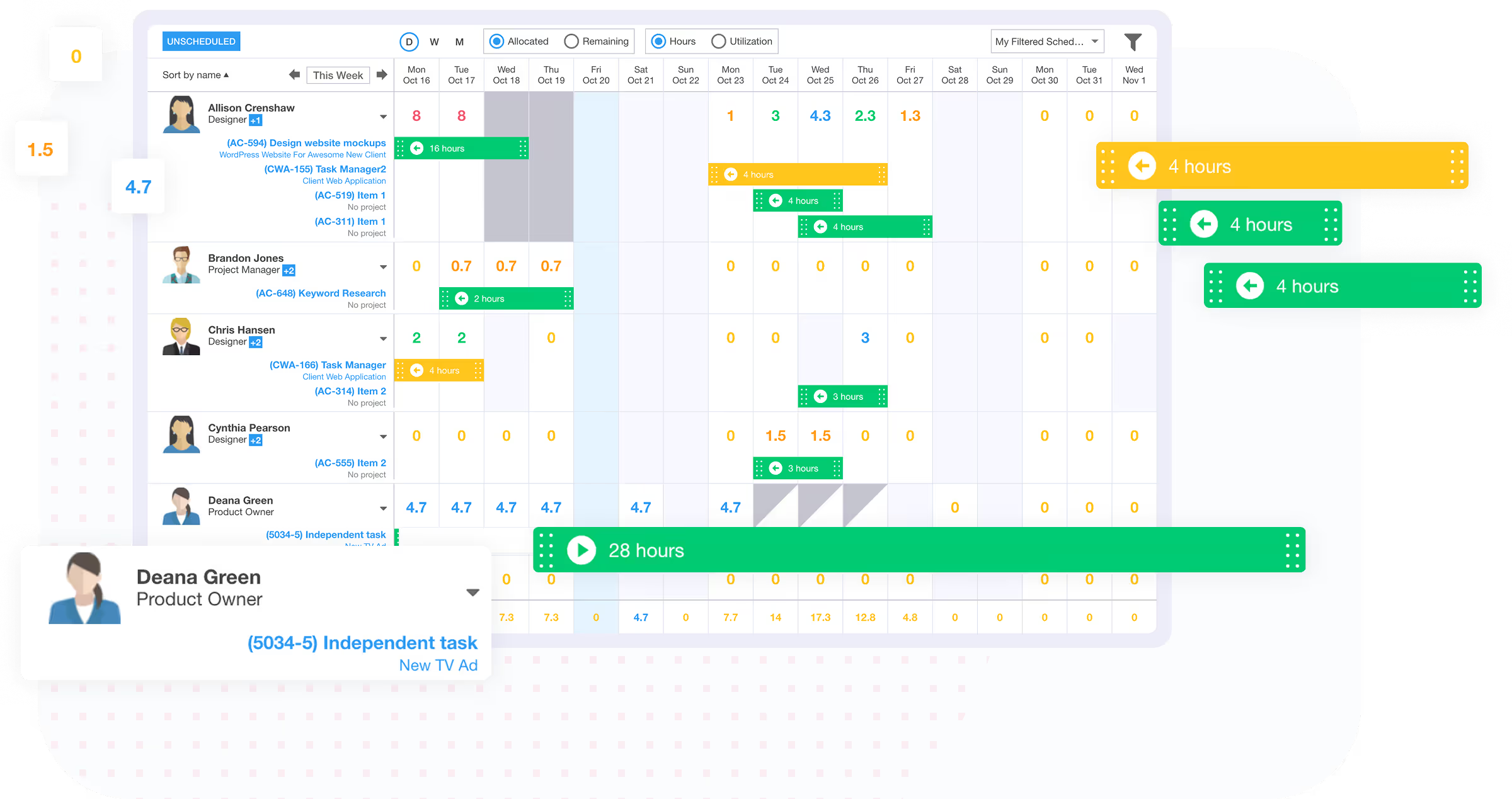
Always know when you have capacity to take on more projects
Ravetree makes it easy to manage resources and see who has capacity to take on work.

Always know when you have capacity to take on more projects
Easily see how each person is being utilized in terms of hours and as a percentage. Also see utilization for the entire organization.
Visualize utilization for each day, week, or month. Calendar events also impact employee availability. This includes events created on your Google Calendar, or directly in Ravetree.
Create time off plans for different users and give them the ability to request off time from work.
Customize each employee’s workday and work week to ensure you get an accurate figure for upcoming availability.
Create power filters that allow you to view resources by team, work role, office, department, or skill.
View all unscheduled tasks and easily assign them with drag & drop.
See comparisons between what has been assigned, and how much availability is remaining for each user.
Sometimes tasks are assigned to work roles, but not people—at least not yet. See how these soft allocations impact overall utilization.
Flexible payment options. Non-profit or education? Contact us
Yes, Ravetree provides real-time visibility into team capacity and heat maps showing resource availability and overallocation. You can view the absolute number of allocated/remaining hours or the same information expressed as a percentage. This information can be viewed for each employee, team, office, department, or the entire company.
Yes, Ravetree allows you to assign resources based on their specific skills and skill level.
Any event on the Ravetree calendar will impact a users overall availability. If you utilize either of our two-way integrations with Google Calendar or Outlook, then all events on these calendars will automatically be pulled in to the Ravetree calendar and impact employee availability. For example, if you are normally available for 8 hours per day, but are in a 2 hour meeting, then your overall availability for that day will be reduced to 2 hours.
Yes, unassigned tasks also impact the overall availability and utilization metrics at your company.
Yes, Ravetree allows for tentative "soft bookings" on pipeline projects to help you forecast hiring needs before taking on new work.
Yes, you can assign tasks to work roles instead of specific people (soft allocations) to see how they impact overall utilization.
Yes, you can create power filters that allow you to view resource utilization by team, office, department, or skill (and skill level).
Yes, you can create time off plans, and approved time off requests will affect employee availability and utilization metrics.
We take a customer-first approach. Our #1 priority is ensuring that you are successful on Ravetree!
Our world class support team is ready to help.
Get live video conference support when you need it!
Quickly get your questions answered with our in-app, live chat support feature.
Custom tailored onboarding session is included for free!